
Last updated: August 17, 2026 · By QuickResumeAI Editorial Team
Make an Online Resume Free: What Each Builder Actually Gives You
You can build a full resume here with no account and no email.This page shows what every free resume builder gives away, what each one charges for, and how to avoid the surprise paywall at download.
Start now, no signup neededOpen the builder and start typing. Nothing to install, nothing to register.
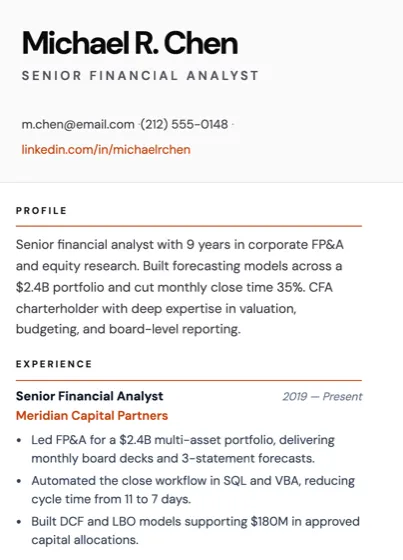
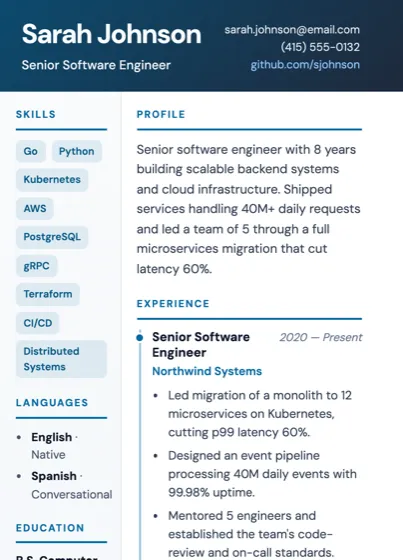
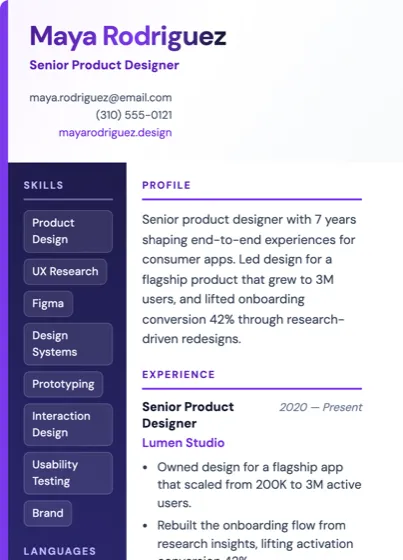
Where you can create an online resume for free
Almost every builder lets you build for free. Almost none let you leave with the file for free. That is the whole shape of this market, and it is why "free resume builder" searches so often end in a payment screen.
There are three genuinely different models:
- No signup needed, paid to download. The most common one. You do the work, then the file is behind a payment or a trial. This is our model too, and the price is on this page.
- Design tools. General-purpose design and document editors ship resume templates too. Export terms vary, and the layouts are often two-column, which is the format most likely to break ATS parsing.
- Free download builders. A small number state that the export costs nothing. They exist, but they are the exception.
Which one you want depends entirely on the next section, so read the table before you pick.
What "free" means at each one
The rows below describe the pricing models in this market, not specific brands. Only our own row states a price, because it is the only one we control.
| Builder | No signup needed | Free to download | What you pay | Signup to start |
|---|---|---|---|---|
| QuickResumeAI | Yes, full builder | No, the PDF is paid | One-time payment, no subscription, 48-hour refund | No signup needed |
| Subscription builders | Yes, usually on a limited set of templates | No, the export is behind a plan or a trial | Recurring monthly or annual plan, often unpriced until checkout | Email asked for before you continue |
| Design and document editors | Yes, from a template gallery | Sometimes, depends on the template tier | Free tier plus a paid tier for premium assets | Account usually required |
| Free-export builders | Yes, full builder | Yes, PDF and plain text | Nothing, the business model is elsewhere | Account usually required |
We do not publish other companies' pricing. Terms change often, so check any builder's own page before you rely on what a comparison says.
The pattern in that table is the finding: most builders show no price at all on the page that invites you to start.
You are about to hit a paywall if
Run these five checks on the builder tab you have open right now, this one included. Every line that is true of it is a sign the price is waiting at the end:
- You cannot find a price anywhere on the builder's landing page.
- You were asked for an email address before you saw a single template.
- The word "free" appears next to "build" and "create" but never next to "download".
- The pricing link sits in the footer, not next to the start button.
- You have already typed your whole work history and still have not seen a total.
One tick means find the pricing page before you type anything. Three or more and you are building inside a funnel that charges at the download. Check this page against line one while you are here: the price is in the hero and under the button below.
Build my resumeNo signup needed to start.
The trap: the download paywall
The charge lands at the download because that is the moment you are most invested. You picked a template, typed fifteen years of history and watched it lay out on the page. A payment screen at that point converts far better than a price on the homepage would.
Two more things to watch for, beyond the five checks above. A subscription that renews is not the same as a one-time charge, and a "free trial" that asks for card details is a subscription with a delay on it. Read which one you are agreeing to before you click.
Our answer to all of it: the price is on this page, above the fold, before you start.
How to do an online resume for free, in about 5 minutes
- Step 1, get your facts in one place. Job titles, employers, dates, school, and the posting you are aiming at. Sixty seconds of gathering saves ten minutes of stalling.
- Step 2, run the free ATS match check. If you already have a resume, paste it with the job posting and get a score and the missing keywords in about 30 seconds. It costs nothing and it tells you what to fix before you rebuild.
- Step 3, build it in the online builder. Pick a template, answer the fields and the AI drafts your bullets as you go. No account, no email. About five minutes end to end.
- Step 4, download the PDF.Single column, standard headings, selectable text, which is what applicant tracking software needs to read it.
Prefer to see the layouts first? Browse the resume templates, all of which you can use while you build. In a hurry with a deadline today? The quick resume builder walk-through skips straight to the fastest path.
What we charge and why
One payment, once, for the finished PDF. Not a subscription, no renewal, and a 48-hour refund if the file is not what you wanted. The price is shown in the builder before you pay.
Everything before the download is free and needs no signup: the builder, every template, the editing, and the ATS match check. We charge at the file because generating and hosting it costs us money and because the alternative, a recurring plan you forget to cancel, is the thing this page exists to warn you about.
Stating the number here loses us some clicks from people who wanted a total zero. That is the trade. We would rather you know now than find out after twenty minutes of typing.